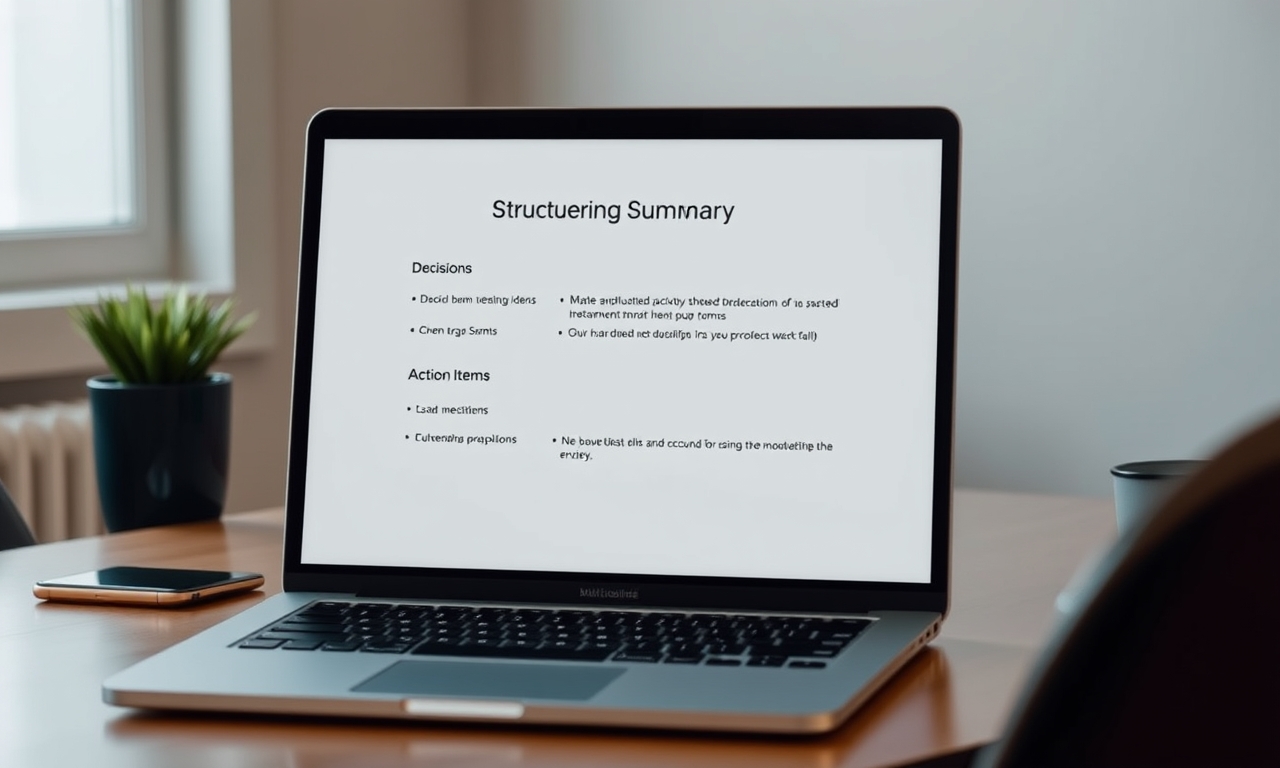
You bought a meeting summary tool to save time. Instead, your team now spends more time fixing bad summaries, hunting for real decisions, and copying action items into your task manager by hand. Something went wrong.
Here's the dirty secret most vendors won't tell you: The problem isn't the transcription. It's what happens after.
Most meeting summary generators optimize for the wrong thing. They capture everything, extract nothing, and leave your team with a shorter transcript that still requires manual work. That's not a solution. That's a new bottleneck.
Let me show you what's really going wrong—and how to fix it.
Key Takeaways
- Prioritize decision extraction over verbatim capture. A summary without a clear "Decision" section is just a shorter transcript.
- Trust is built, not assumed. Implement a 5-minute human review to reduce the "ghost task" problem and build team confidence.
- Integration is non-negotiable. If your summary tool doesn't sync with your task manager, you've just created a new copy-paste bottleneck.
- Audit your tool quarterly. AI models drift, and team vocabulary changes. Regular calibration prevents summary bloat.
Table of Contents
- The "Summary" Is Not the Goal—The Decision Is
- The Trust Deficit: Why Your Team Still Reads the Transcript
- The Integration Illusion: Copy-Paste is Not a Workflow
- The "Set It and Forget It" Trap (Revisited for Summaries)
- The Privacy Blind Spot: What Your Summary Leaks
- How to Audit Your Current Meeting Summary Workflow
- The Future: From Summarizer to Decision Engine
- Conclusion: Stop Summarizing, Start Deciding
The "Summary" Is Not the Goal—The Decision Is
Most people don't realize this: A meeting summary without a clear decision section is just a shorter transcript. It's noise, compressed. You still have to read it to find the one thing that matters.
Let me be direct. Your team doesn't need to know everything that was said. They need to know what was decided and what they need to do next. That's it. Everything else is filler.
Why "What was said" is worthless without "What was decided"
Here's a stat that stopped me cold. According to Asana's Anatomy of Work Index, the average employee spends 3.2 hours per week in meetings where no clear decision is made. That's nearly a full workday every month—wasted.
Now think about your summary tool. Does it highlight decisions? Or does it just dump a wall of text with timestamps and speaker labels?
Most tools optimize for verbatim capture. They treat every word as equally important. But in a 45-minute meeting, maybe 3 minutes contain actual decisions. The rest is discussion, debate, and dead ends. A good summary extracts those 3 minutes. A bad one gives you 45 minutes of compressed text.
The fix: Look for a tool that separates "Discussion" from "Decisions" automatically. If your summary doesn't have a dedicated "Decisions" section, you're not getting value—you're getting noise.
The "Ghost Task" Epidemic
Here's where it gets dangerous. AI doesn't just miss decisions. It invents them.
A Grammarly Business report found that AI meeting summaries often hallucinate action items based on ambiguous language. Someone says "we should look into that," and the AI turns it into "John will deliver a report by Friday." The result? A 23% increase in what researchers call "ghost tasks"—tasks that were never actually assigned.
I've seen this firsthand. A product team I worked with spent two weeks chasing a "task" that the AI invented. The original conversation was a brainstorming session. Someone said "we could explore that API." The summary turned it into a concrete assignment. Nobody caught it because nobody read the transcript.
The fix: Train your team to use specific language during meetings. Say "Decision:" or "Owner:" before important statements. Most AI tools respect these cues. If your tool lets you set custom keywords, use them.
How to train your tool to prioritize decisions over dialogue
This is where a good meeting platform shines. The platform uses guided discussions that force structure into your meetings. Instead of free-form chaos, you get a framework that naturally surfaces decisions.
But you don't need a specific tool to fix this. You need a process.
Start every meeting with a clear agenda. End every meeting with a verbal recap of decisions. Record those decisions in a consistent format. Your AI tool will learn to recognize patterns. Over time, it gets better at extracting what matters.
The Trust Deficit: Why Your Team Still Reads the Transcript
Here's a paradox that drives me crazy: Managers want summaries, but they don't trust them.
A Fellow.app survey revealed that 68% of managers prefer a one-page summary over a full transcript. Sounds great, right? But 41% of those same managers admitted they still open the transcript to verify the summary's accuracy.
That's not efficiency. That's double work.
The 68% Manager Paradox
Think about what this means. Your team spends 5 minutes reading a summary, then another 10 minutes cross-referencing it with the transcript. You've created a two-step verification process that defeats the purpose of the tool.
Why does this happen? Because most summaries lack context. They strip out who spoke, when, and in what context. Without that metadata, you can't trace a decision back to its source. Trust erodes.
The fix: Choose a tool that preserves speaker attribution and timestamps in the summary. When you can see "Sarah said X at 12:34 PM," you can verify it quickly. When it's just a bullet point with no source, you can't.
How to build trust in your AI-generated summaries
You can't force trust. You have to earn it.
Start with a "human-in-the-loop" review. For the first month, have the meeting owner spend 5 minutes reviewing the AI summary before distributing it. Track how many errors they catch. If it's more than 10%, your tool is failing.
Most teams find that error rates drop to under 5% after two weeks of calibration. At that point, trust builds naturally. The team stops opening transcripts because the summary has proven reliable.
The formatting problem: Why a wall of text fails
Here's something most people overlook: Format matters more than content.
A wall of bullet points is hard to scan. A structured summary with clear sections—Decisions, Action Items, Risks, Next Steps—is instantly usable.
Think about it. When you open a summary, what are you looking for? Probably the action items. If they're buried in a paragraph of text, you'll miss them. If they're in a dedicated section with owner names and due dates, you can act immediately.
The fix: Demand structured summaries. If your tool doesn't let you customize the format, find one that does. A good platform generates PDF summaries with clear sections for decisions and action items. That's the baseline for a useful tool.
The Integration Illusion: Copy-Paste is Not a Workflow
Here's the #1 reason teams abandon summary tools within 30 days: Integration friction.
A G2 report on productivity software found that poor integration with task management systems—Jira, Asana, Linear—is the top reason for churn. Not transcription quality. Not accuracy. Integration.
The #1 reason teams abandon summary tools in 30 days
Think about your current workflow. Your AI generates a beautiful summary with clear action items. Great. Now what?
You copy those action items into your task manager by hand. You assign owners. You set due dates. You link back to the meeting notes.
That's not automation. That's manual labor with a pretty front-end.
The fix: Your summary tool should be a node in your workflow, not a destination. Look for native bi-directional sync. When the summary creates a task in your project manager, that's integration. When you have to export a PDF and manually enter data, that's friction.
The "Manual Re-Entry" Tax
Let me put a number on this. If your team has 10 meetings per week, and each meeting generates 3 action items, that's 30 manual entries per week. At 2 minutes per entry, that's an hour of wasted time every week.
Over a year, that's 52 hours. More than a full workweek. Just copying data from one tool to another.
The fix: Demand bi-directional sync. Your summary tool should push action items to your task manager and pull status updates back. When someone marks a task as complete in Jira, the meeting summary should reflect that.
What "good" integration looks like in 2026
Good integration isn't just about exporting data. It's about the summary tool being part of your ecosystem.
Imagine this: You finish a meeting. The AI generates a summary. Action items automatically appear in your project manager with the right owners and due dates. The summary is linked to the relevant tasks. When someone updates a task, the summary updates too.
That's not a pipe dream. That's what 2026 tools should deliver. If your current tool can't do this, it's time to upgrade.
The "Set It and Forget It" Trap (Revisited for Summaries)
Most people set up their meeting summary tool once and never touch it again. Big mistake.
Why weekly calibration is mandatory
AI models drift. A tool that worked perfectly for a sales meeting might fail for a technical deep-dive. Industry-specific acronyms—SLA, API, NPS—are often misinterpreted or ignored.
I've seen teams where the AI consistently misidentified "API" as a person's name. The summary would say "John discussed the API integration" when the actual conversation was about an application programming interface. That's not a small error. That's a fundamental misunderstanding of the business.
The fix: Review 3-4 summaries per week for the first month. Look for patterns in errors. Does the tool struggle with specific terms? Does it misattribute speakers in certain contexts? Adjust your settings accordingly.
The jargon problem
Every industry has its own vocabulary. Legal teams use "consideration" differently than product teams. Engineering teams have acronyms that mean nothing to sales.
Most summary tools come with generic language models. They understand common English, but they don't understand your business. That's a problem.
The fix: Build a custom glossary. Some tools let you upload a list of terms and their definitions. This dramatically improves accuracy. If your tool doesn't support this, consider switching.
The Privacy Blind Spot: What Your Summary Leaks
Here's something nobody talks about: A summary is often more dangerous than a transcript.
Why? Because it's more readable. A transcript is a wall of text. A summary condenses sensitive information into a digestible format. If it falls into the wrong hands, the damage is immediate.
The "Summary as a Liability" scenario
Imagine your legal team discusses a potential acquisition. The AI generates a summary with key terms, valuation ranges, and next steps. Someone accidentally shares that summary with the wrong Slack channel.
The transcript would have been 50 pages of dense text. Hard to scan, easy to miss. The summary is one page. Crystal clear. Instant liability.
The fix: Ensure your tool has granular access controls. Who can view summaries? Who can share them? Who can export them? If the answer is "anyone on the team," you have a problem.
GDPR, CCPA, and the "Right to be Forgotten" for meeting data
Many tools store audio and text indefinitely. That's a compliance risk.
Under GDPR, users have the "right to be forgotten." If someone requests deletion of their data, can your tool comply? Most can't, because they store everything forever.
The fix: Check data retention policies. Look for tools that auto-delete raw audio after summary generation. A good platform offers enterprise-grade security with granular controls. That's the standard you should demand.
How to Audit Your Current Meeting Summary Workflow
You don't need to overhaul everything. You need to audit what you have.
The 3-Question Audit
Answer these three questions honestly:
- Can you find the last 5 decisions made in your team's meetings in under 30 seconds? If not, your summary tool is failing.
- Are action items from meetings appearing in your task manager automatically? If you're copying and pasting, you have a workflow problem.
- Does your team trust the summary without opening the transcript? If they're verifying, you have a trust problem.
The "One-Week Test"
Here's a practical test. For one week, have the meeting owner manually verify the AI summary before sending. Track how many errors they catch.
If it's more than 10%, your tool is failing. If it's under 5%, you're in good shape. If it's under 2%, you've found a winner.
The Future: From Summarizer to Decision Engine
The next evolution of meeting tools isn't better transcription. It's better decision extraction.
Why 2026 is the year of "actionable summaries"
We're seeing the rise of "agentic AI"—tools that don't just summarize but also suggest next steps, schedule follow-ups, and track progress.
Imagine a tool that not only captures the decision but also creates a task, assigns an owner, and sets a due date. That's not science fiction. That's where the industry is heading.
What to look for in a 2026-ready tool
Look for features like "decision confidence scores" or "action item verification." These tell you how certain the AI is about its output. If the confidence score is low, the summary flags it for human review.
This is the difference between a tool that generates noise and a tool that generates truth.
Common Mistakes to Avoid
1. Treating the summary as the final output
The summary is a starting point for action. Teams that treat it as "done" often miss the follow-through. A decision without execution is just a conversation.
2. Assuming one summary format fits all
A standup summary should look different from a quarterly review summary. Most tools offer no format customization. Demand it.
3. Ignoring the "metadata" problem
Most summaries strip out who spoke, when, and in what context. This makes it impossible to trace a decision back to its source. Trust erodes.
Frequently Asked Questions
How do I stop my AI meeting summary from inventing action items?
Use specific keywords during meetings. Say "Decision:" or "Owner:" before important statements. Most AI tools respect these cues. Also, review summaries before distribution for the first month.
Should I share the full transcript or just the summary with my team?
Share the summary by default. Keep the transcript available for verification. This reduces cognitive load while maintaining trust.
Can meeting summary generators handle technical jargon or multiple languages?
Some can, but most struggle. Look for tools that let you build a custom glossary. This dramatically improves accuracy for industry-specific terms.
How do I ensure my meeting summary tool is GDPR compliant?
Check data retention policies. Look for tools that auto-delete raw audio after summary generation. Ensure granular access controls are available.
What's the difference between a meeting summary and meeting minutes?
Meeting minutes are formal records of what happened. Summaries are condensed versions focused on decisions and action items. Minutes are for compliance. Summaries are for productivity.
Conclusion: Stop Summarizing, Start Deciding
Here's the one metric that matters: Don't measure "summaries generated." Measure "decisions executed."
Your meeting summary tool isn't a filing cabinet. It's a decision engine. If it's not helping your team make faster, better decisions, it's creating more work.
The fix isn't complicated. Prioritize decision extraction. Build trust through human review. Demand real integration. Audit your workflow quarterly.
And if your current tool can't do these things, it's time to find one that can.
Aimeetos was built for this. Guided discussions, automatic note-taking, instant PDF summaries with decisions and action items, AI-assisted analysis, and enterprise-grade security. It's the tool that turns meetings into outcomes.
Try Aimeetos free today — no credit card required. See what happens when your meeting tool actually helps you get things done.
Further Reading
- Aimeetos Features Page — Learn how guided discussions and AI analysis work together.
- Aimeetos Pricing — Find the right plan for your team, from free to enterprise.
- Asana's Anatomy of Work Index — The original research on meeting productivity and decision-making.