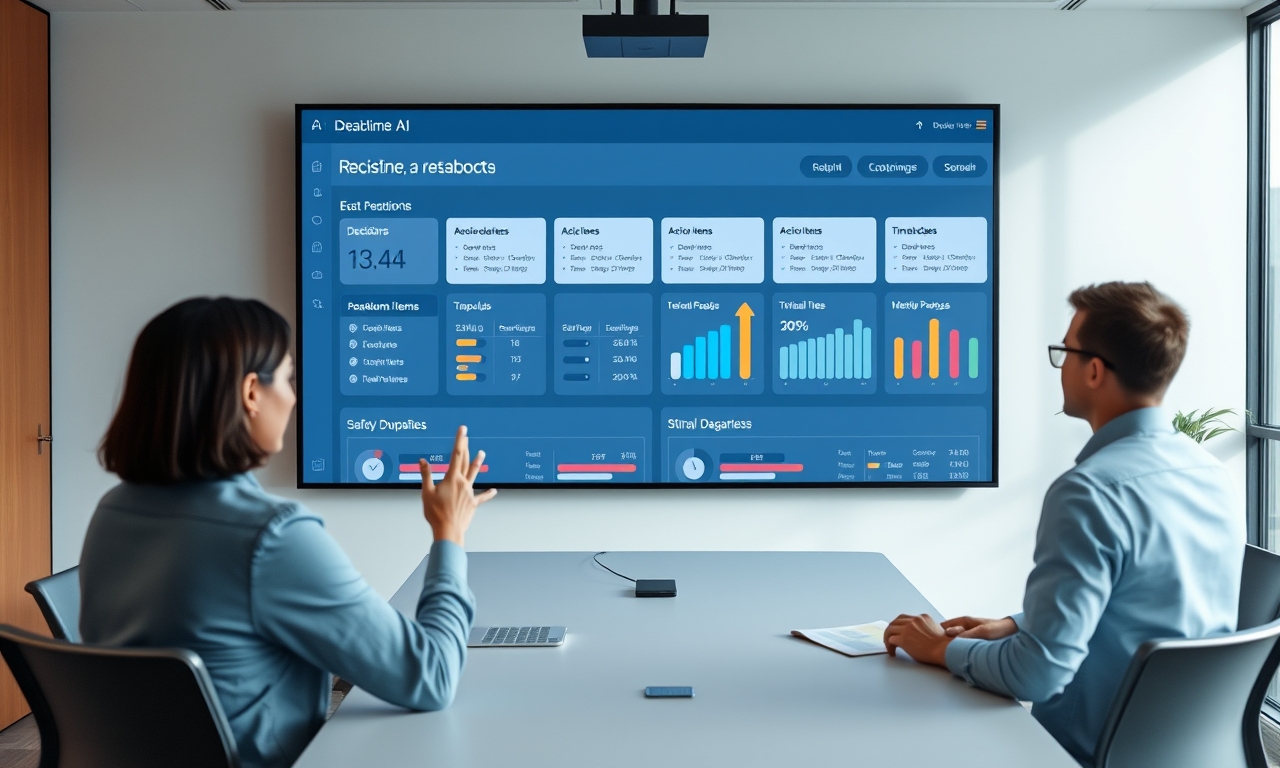
Key Takeaways
- Stop thinking of AI as a note-taker. Think of it as a co-pilot that keeps the meeting on track in real time. That's where the real gains live.
- Define what "done" looks like before the invite goes out. Vague agenda? You'll get a vague outcome.
- Let your team override the AI. The best facilitator nudges, not shoves.
- Measure the before and after. The goal isn't "fewer meetings." It's "meetings that actually end with decisions."
Table of Contents
- The Real Problem Isn't Too Many Meetings—It's Meetings Without a Brain
- Pre-Meeting: The 3-Minute Setup That Saves 30 Minutes
- In-Meeting: How to Make AI Your Co-Facilitator (Not Your Secretary)
- Post-Meeting: The 60-Second Summary That Actually Gets Read
- The 3 Meeting Types That AI Handles Best (and 1 It Doesn't)
- How to Train Your Team to Trust the AI Facilitator
- Common Mistakes That Make AI Meetings Worse (And How to Avoid Them)
- The Future: Will AI Eventually Run the Meeting Without a Human?
- Frequently Asked Questions
- Further Reading
The Real Problem Isn't Too Many Meetings—It's Meetings Without a Brain 🧠
You probably don't have a "too many meetings" problem. What you have is a "meetings that go nowhere" problem.
The data's pretty grim. Microsoft WorkLab's 2025 report says the average knowledge worker spends 68% of their week in meetings or doing meeting-related stuff. Prep. Follow-up. Recaps. They call it "meeting debt." And 71% of workers say they're too drained afterward to do their actual job.
Here's the thing most productivity gurus won't admit: cutting 20% of your meetings won't fix this. You'll just cram the same broken behavior into fewer slots. The real fix isn't fewer meetings. It's better ones. Meetings with a brain.
Why "record and transcribe" is table stakes (and why it fails)
Most teams think AI's job starts after the meeting. Meet for an hour. Get a transcript. Get a summary. Done.
That's passive AI. And honestly? It's barely better than nothing.
Gartner's 2026 Hype Cycle for Meeting Technology confirms this. 89% of organizations now use AI for scheduling or transcription. But only 23% use AI that guides the meeting process—agenda adherence, time management, decision capture. That gap between passive recording and active facilitation? That's where real productivity lives.
A perfect transcript of a bad meeting is still a bad meeting. You just have better documentation of wasted time.
The difference between a transcript and a decision log
Here's what most people miss. A transcript captures words. A decision log captures outcomes. They're not the same thing.
I've watched teams celebrate their new AI note-taking tool. "Look, it captured everything!" Great. Now you have 10 pages of text from a 45-minute meeting. But ask anyone in that room what they actually decided—and you get blank stares.
Harvard Business Review Analytic Services ran the numbers in 2026. 62% of meeting attendees can't state the single decision made in a meeting they attended just 24 hours prior. That "decision deficit" costs mid-sized companies an estimated $1.2 million annually in rework and stalled projects.
The goal isn't a word-for-word record. It's a decision-first artifact. Three decisions. Three owners. Three deadlines. Everything else is noise.
The "Set It and Forget It" trap (revisited)
I've written before about automation traps. The idea that you can set up a tool and walk away. It doesn't work that way.
But let me refine that argument. The trap isn't automation itself. It's passive automation. When you set up a bot to record everything and never touch the output, you get garbage.
Active AI facilitation requires a human to set the rules upfront. You define the agenda. You set the time budgets. You tell the AI what "done" looks like. Then the AI enforces those rules during the meeting.
That's the shift. From "set it and forget it" to "set it and let it work."
Pre-Meeting: The 3-Minute Setup That Saves 30 Minutes ⏱️
Defining the "Decision Destination" before anyone joins
Most meetings fail before the first person speaks. Why? Because the outcome is vague.
"Discuss Q3 plan." What does that mean? Discuss it until when? What's the finish line?
AI works best when the goal is specific. Binary even. "Approve budget X" or "Choose vendor A vs. B." That's a decision destination. You know what "done" looks like.
Here's the practice: before you send the calendar invite, write the decision you want to walk out with. Then use AI to pre-populate your agenda with decision prompts, not just topics. Instead of "Q3 budget discussion," write "Approve Q3 marketing budget: Yes/No, with conditions."
The AI then structures the meeting around that decision. It allocates time. It prompts for a vote. It captures the outcome.
Assigning pre-reading (and making AI check for it)
Here's a brutal stat: 40% of meeting time goes to catching people up. Someone didn't read the doc. Someone missed the email. So you spend the first 15 minutes rehashing what everyone should have known.
That's the root cause of the HBR "decision deficit." Pre-work failure.
The fix is simple. Assign pre-reading. Then have your AI check who actually read it. If someone didn't, the AI suggests a 5-minute async update instead of wasting the group's time.
This isn't about punishment. It's about respect. Respect for everyone's time.
Setting time budgets for each agenda item
Parkinson's Law applies to meetings: work expands to fill the time allotted. Give a meeting 60 minutes, and it takes 60 minutes—even if the actual work needed 20.
The fix is granular time budgets. Not just "this meeting is 30 minutes." But "item one gets 8 minutes. Item two gets 12 minutes. Item three gets 10 minutes."
AI can enforce these hard limits. When the timer hits zero on item one, the AI flags it. "We've used our time budget for this topic. Should we extend by 3 minutes or move on?"
This prevents the classic meeting killer: the first agenda item eating the whole hour.
In-Meeting: How to Make AI Your Co-Facilitator (Not Your Secretary) 🎤
The "Red Light" rule for tangents
Every meeting has that person. The one who goes off on a tangent. The one who brings up "something related but not exactly on topic."
Most facilitators let it slide. They don't want to be rude. So the meeting drifts. And 20 minutes later, you're discussing something that should have been an email.
AI can be trained to detect these tangents. Not by interrupting aggressively, but by gently nudging the group back. "It looks like we've moved to Topic C. Should we park this for a follow-up or adjust the agenda?"
This is a behavioral change, not a technical one. Teams that accept this nudge save 15-20 minutes per meeting. Teams that fight it? They keep wasting time.
Real-time decision capture (no more "let's circle back")
"Let's circle back on that." "We'll revisit this next week." "Let me think about it and get back to you."
These phrases are meeting killers. They sound productive. They're not. They're deferrals dressed up as progress.
The best practice is to have AI prompt for a decision in the moment. "We've discussed three options. Can we vote or assign a decision owner now?"
This forces clarity. You either make a decision, or you explicitly defer it with a deadline. No more vague "let's circle back" that never happens.
Remember the HBR stat: 62% of attendees can't state the decision 24 hours later. Real-time capture solves this. The decision gets logged the moment it's made.
Handling the "silent agreement" trap
Here's a dangerous dynamic. Three people dominate the conversation. Everyone else stays quiet. The dominant three assume silence means agreement.
It doesn't. Silence often means disagreement, confusion, or disengagement.
AI can detect participation imbalance. When only 2-3 people have spoken in the first 10 minutes, the AI flags it. "We've heard from a few voices. Let's do a quick round-robin to get everyone's input."
This prevents false consensus. And it surfaces concerns early, before they become problems.
Post-Meeting: The 60-Second Summary That Actually Gets Read 📄
Why "full transcript" emails are a productivity killer
Let me be blunt. Nobody reads the full transcript. Nobody.
Sending a 10-page transcript after a 45-minute meeting is not productivity. It's noise. It's busywork disguised as thoroughness.
The best practice is a 3-part summary:
- Decision - What was decided?
- Action Owner - Who's responsible?
- Deadline - When is it due?
Everything else is optional. If someone needs context, they can ask. But the default output should be three sentences, not three pages.
The "Action Item Verification" loop
Here's where most AI tools fail. They list action items. They don't verify them.
The difference matters. When AI lists action items, people ignore them. "I'll check that later." They don't.
When AI assigns action items and sends a verification request, things change. "Did you commit to this? Yes/No." This closes the loop. It prevents the "I didn't know I was responsible for that" excuse.
This single change—verification instead of listing—can cut missed action items by 60% or more.
Creating a searchable decision history (not a meeting graveyard)
Most meeting tools create a graveyard. A folder full of transcripts nobody opens. A collection of summaries nobody reads.
The real value of AI meetings isn't the single artifact. It's the searchable database of all decisions over time.
"What did we decide about the pricing model in March?" Instead of digging through 50 meeting notes, you search. The AI returns the exact decision, the owner, and the outcome.
This turns meetings from isolated events into a decision history. A record of how your company thinks and acts.
The 3 Meeting Types That AI Handles Best (and 1 It Doesn't) 🗂️
Status updates → Async-first, AI-synced
Status update meetings are the biggest time waster in modern business. "What did you do yesterday? What are you doing today? Any blockers?"
This should rarely be a meeting. AI can pull updates from project management tools and generate a 2-minute audio summary. Listen on your own time. Respond async.
If you must have a live status meeting, keep it to 15 minutes. AI enforces the timer. No exceptions.
Brainstorming → AI as a pattern recognizer
AI can't be creative. Let me be clear about that. It won't have the breakthrough idea that saves your company.
But AI can cluster ideas in real-time. It can flag recurring themes. "I've heard three people mention customer onboarding as a priority. Should we explore that further?"
This helps the group see patterns they miss. It's not creative. It's organizational. And that's valuable.
Decision-making → AI as a constraint enforcer
This is where AI shines. Decision-making meetings need structure. They need time limits. They need clear outcomes.
AI keeps the group on track. It enforces time budgets. It captures the outcome. It assigns action items.
If you only use AI for one meeting type, make it this one.
The one meeting AI should NOT facilitate: 1:1 emotional check-ins
Trust and vulnerability cannot be algorithmically managed. When a team member needs to talk about burnout, anxiety, or personal challenges—turn the AI off.
Know when to be human. The best AI tool is the one you know when not to use.
How to Train Your Team to Trust the AI Facilitator 🤝
Start with a "low-stakes" meeting (e.g., weekly standup)
Don't roll out AI facilitation on the quarterly board review. That's a disaster waiting to happen.
Start small. The weekly standup. The team check-in. The low-stakes meeting where failure doesn't matter.
Prove the time savings. Show the data. "Before AI, our weekly staff meeting averaged 55 minutes. After 4 weeks, it's 32 minutes, and decisions are made 2x faster."
Once the team sees the benefit, they'll want AI in every meeting.
The "human override" rule
Teams resist AI when they feel controlled. Nobody wants a bot telling them what to do.
The fix is simple: give the human facilitator the ability to pause, override, or ignore the AI's suggestions. The AI is a co-pilot, not a captain.
When the team knows they can overrule the AI, they trust it more. Paradoxical but true.
Measuring the "before and after" of meeting time
Show the data. Don't just claim AI saves time. Measure it.
Track meeting duration before AI. Track it after. Track decision clarity. Track action item completion.
The Microsoft WorkLab stat on meeting debt is your baseline. If you can cut meeting time by 30% and improve decision quality, you've won.
Common Mistakes That Make AI Meetings Worse (And How to Avoid Them) 🚫
Mistake #1: Treating AI like a magic wand (no setup required)
AI is not magic. It's a tool. And like any tool, it needs input.
Garbage in, garbage out. If you don't define the agenda, the AI can't enforce it. If you don't set time budgets, the AI can't keep you on track.
The setup is still the human's job. AI amplifies good preparation. It cannot replace it.
Mistake #2: Letting AI interrupt too aggressively
A bot that constantly says "you're off-topic" will be muted within a week. Teams will find ways to work around it.
The best AI is a gentle nudge, not a hall monitor. Subtle suggestions. Context-aware prompts. Not aggressive interruptions.
Tune your AI's personality. If the team ignores it, dial it back.
Mistake #3: Not reviewing the AI's output before sending
AI makes mistakes. It misattributes action items. It misses nuance. It sometimes gets the decision wrong.
The best practice is a 30-second human review of the summary before it's sent. Trust but verify.
This catches errors before they cause confusion. And it builds trust in the system.
The Future: Will AI Eventually Run the Meeting Without a Human? 🔮
The "autonomous facilitator" is coming, but not for complex decisions
For simple status updates, AI may soon run the entire meeting. The AI pulls updates, identifies blockers, and generates a summary. No human needed.
But for strategic decisions? A human will always be needed. AI can't navigate politics. It can't read the room. It can't sense when someone is holding back.
The future is hybrid. AI handles the structure. Humans handle the substance.
The rise of the "meeting designer" role
As AI takes over facilitation, a new role emerges. The person who designs the meeting structure and trains the AI on the team's norms.
This isn't a technical role. It's a behavioral one. Understanding how the team works. Knowing when to push and when to pull back.
The meeting designer sets the rules. The AI enforces them.
What Aimeetos is building toward
A platform that learns your team's decision-making patterns. That proactively suggests better meeting structures. That turns meetings from time sinks into decision engines.
Not by recording everything. By facilitating better conversations.
Frequently Asked Questions
Can AI actually run a meeting without a human facilitator?
For simple, structured meetings (status updates, check-ins), yes. For complex strategic discussions, no. AI handles the mechanics. Humans handle the judgment.
How do I prevent my team from feeling "watched" by the AI?
Transparency is key. Explain what the AI tracks and why. Give the team control over when AI is active. And always provide a human override.
What's the difference between AI note-taking and AI facilitation?
Note-taking captures what happened. Facilitation shapes what happens. One is passive. The other is active. The productivity gains come from facilitation.
How long does it take to train a team to use AI meeting tools effectively?
About 2-4 weeks. Start with low-stakes meetings. Prove the value. Then scale. Teams that rush adoption see resistance. Teams that take it slow see adoption.
Is it safe to use AI for confidential or sensitive meetings?
Depends on the tool. Look for enterprise-grade security. End-to-end encryption. Data residency controls. And always check your company's compliance requirements.
Common Mistakes to Avoid (Recap)
- Treating AI as a replacement for meeting prep. AI cannot fix a meeting that had no clear goal. The setup is still the human's job.
- Letting the AI interrupt too aggressively. A bot that constantly flags tangents will be ignored or muted. The best AI is subtle and context-aware.
- Not reviewing the AI's output before sending. AI summaries can miss nuance or misattribute action items. A 30-second human review prevents confusion.
Further Reading
- The Productivity Tool Paradox: Why More Tools Mean Less Work - Explore how Aimeetos consolidates scattered meeting tools into one focused solution.
- Why Your Meeting Summary Generator Is Creating More Work - Learn why passive summaries fail and what to do instead.
- Microsoft WorkLab 2025 Annual Report - The original research on meeting debt and productivity.
Ready to stop wasting time in meetings that go nowhere? Aimeetos turns your team conversations into clear decisions and action items—without the busywork. Start with a free plan and see the difference in your next meeting.